Why I built it
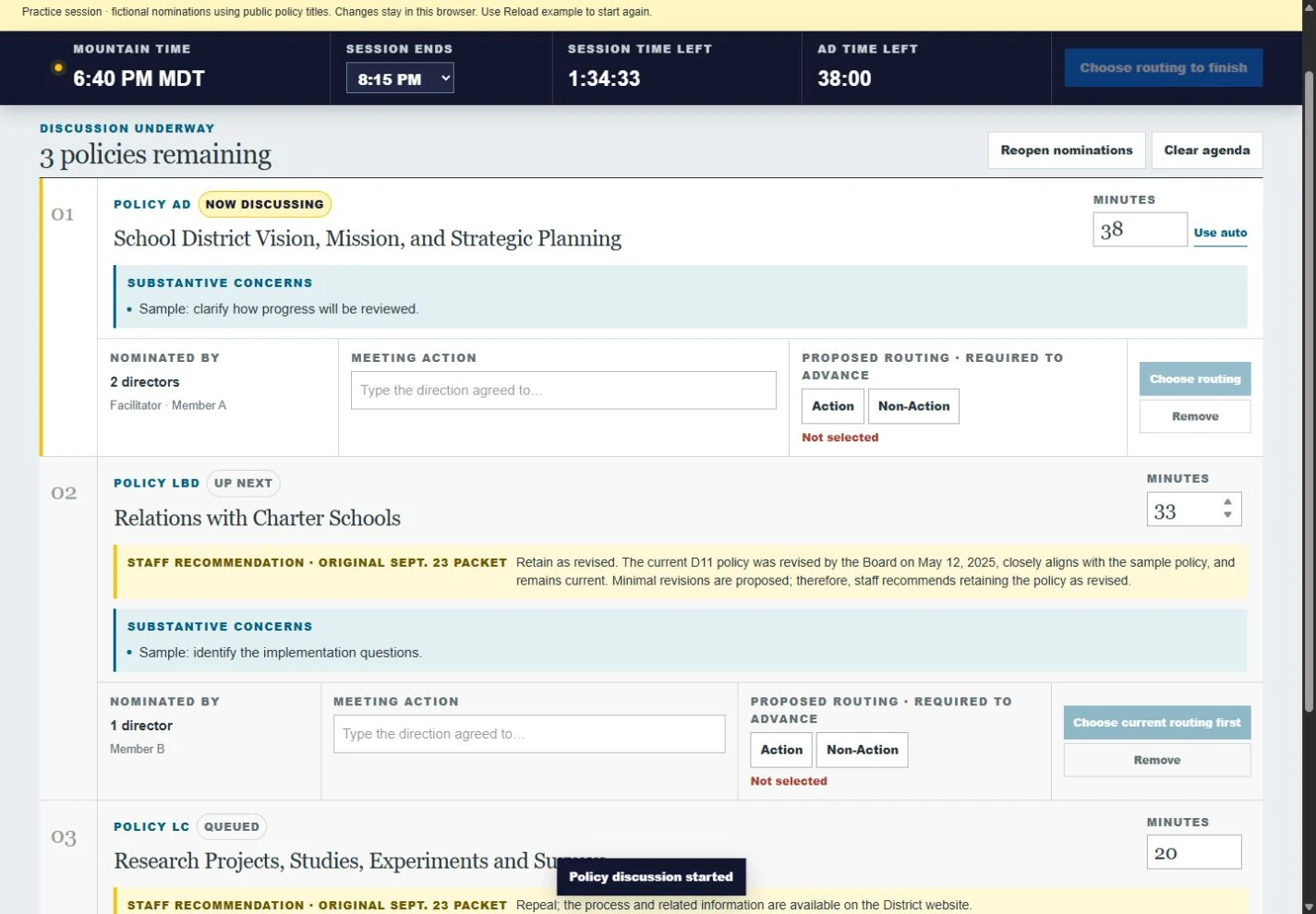
During a work session, the group needs a shared answer to three questions: what are we discussing, what needs resolving, and how much time remains? I built a screen that can keep up as the discussion develops.
How it works
- Collect the policies board members want to discuss and their specific concerns, combining requests for the same policy.
- Set the time budget and arrange the discussion queue.
- Begin the discussion, capture notes and proposed next steps, and advance through the agenda.
- Download an editable Word summary with the requested policies, concerns, and recommended next steps.
How I shaped it
Design for the meeting in progress.
The visualizer began with our chief strategy officer’s request for a shared view of policy discussion. Trying an early version, I found that a hidden facilitator panel and unreliable free-text entry did not fit a projected screen in a busy meeting. I asked for an explicit workflow on one page: select a board member, enter their policies and concerns, then switch from nominations to discussion.
I asked the AI assistant to rehearse a realistic meeting, including repeated nominations and several policies per board member. That exposed a way to skip a required outcome and timers that reset when a discussion resumed. My own review led to larger projected text, less visual clutter, and an editable Word summary the facilitator could use afterward. The test was whether I could run a meeting with it.